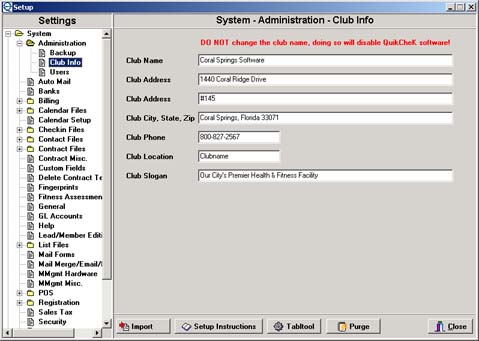
Setup
The Setup module of QuikCheK will allow you, the user, to customize the program to your particular club situation. You will be able setup user logins, membership types, check-in activities, point of sale items, and categories, and much, much more. Remember this one tip, everything in setup revolves around the plus sign (+) and the check mark (ü). The plus sign adds a new entry, and the check mark saves the entry.
IMPORTANT NOTE: DO NOT CHANGE THE CLUB NAME IN THE CLUB INFO SECTION, THIS WILL DISABLE QuikCheK SOFTWARE.
If you change the Club Name, QuikCheK will give an "invalid registration code" message at startup. You will have to call Coral Springs Software
for a new registration code, for which there is a $25 fee per registration code.